
Integrations overview
Klarvyn pulls your whole funnel into one place. Connect the tools you use and every touchpoint — ad clicks, visits, leads, calls, deals and payments — lands on the same contact. All integrations live under Settings → Integrations, grouped the same way as below.
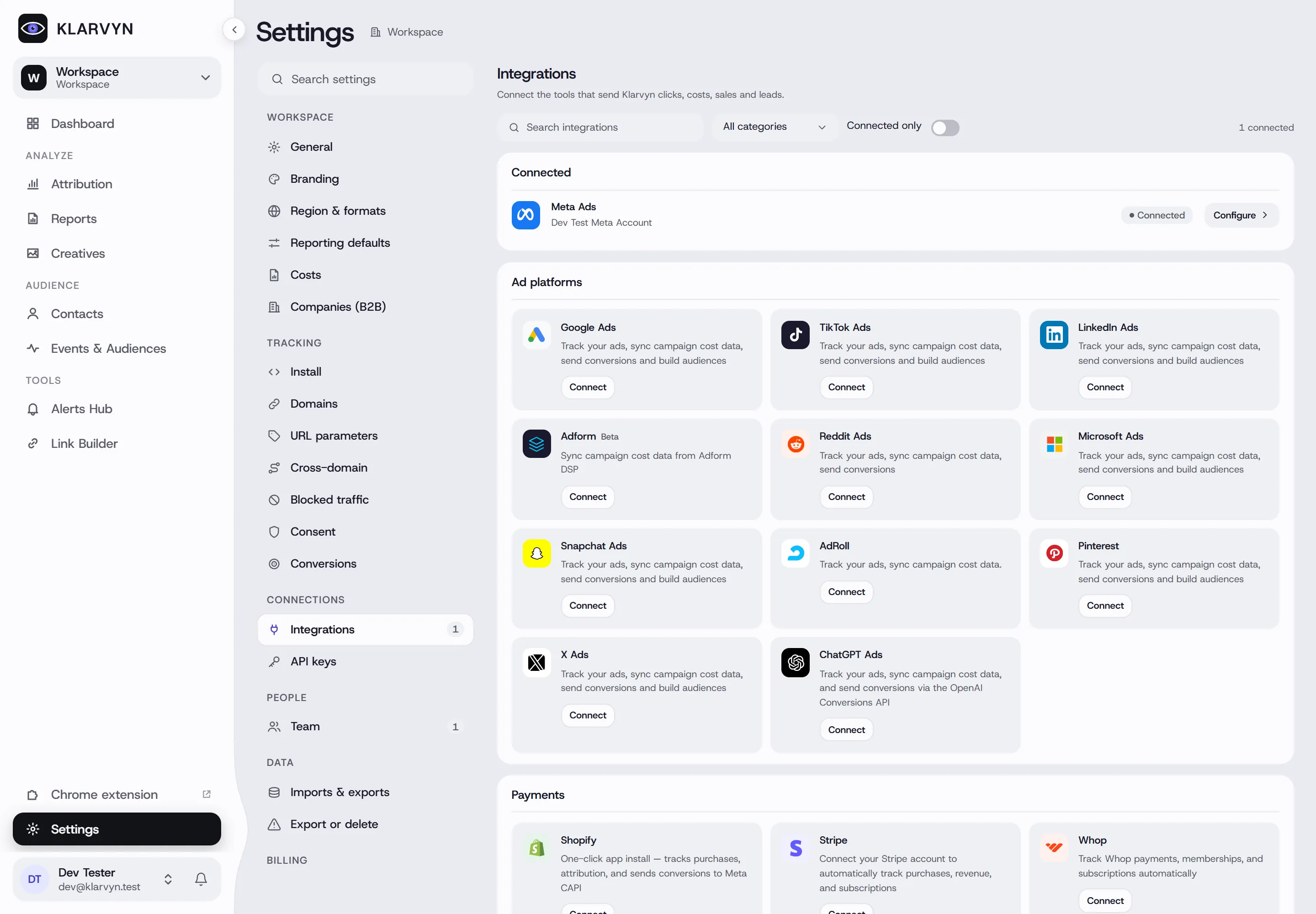
Ad platforms
Section titled “Ad platforms”Spend, campaigns and click IDs flow into your reports, and conversions and audiences flow back:
Meta Ads · Google Ads · TikTok Ads · LinkedIn Ads · Microsoft Ads · Snapchat Ads · Pinterest · X Ads · Reddit Ads · ChatGPT Ads · Whop Ads · AdRoll · Adform (Beta)
How every ad-platform page works
Section titled “How every ad-platform page works”Each ad platform has its own page under Settings → Integrations, with the same four tabs:
- Overview — status, how many ad accounts are selected, a health checklist (with a Fix button per problem) and sync details: cadence, last sync, who it’s connected as and when the access expires.
- Accounts — the logins you’ve connected and the ad accounts under them. Turn Sync on for the accounts Klarvyn should pull costs from and send conversions to. Import campaigns on an account backfills history (up to 37 months — Google up to 12) and replaces the stored history for that account.
- Settings — currency conversion (default: daily exchange rate into your workspace currency) and timezone handling (default: aligned to your workspace). These apply to every ad platform.
- Activity — the latest sync and error per account.
Spend syncs every 30 minutes while an account is active, every 4 hours when idle and daily when dormant. A badge in the header shows Healthy, Needs attention or Not syncing; if access expires, the page warns you a week ahead and Reconnect (in the ⋯ menu) fixes it. Setup guide walks you through anything left to do. Which events are sent to each platform is set in one place: Events & Audiences → Conversions.
Disconnect removes all of that platform’s accounts from the workspace: costs and conversions stop, but data already synced stays in your reports.
Payments
Section titled “Payments”Real revenue — purchases, subscriptions, refunds — traced back to the ad:
Stripe · Shopify · WooCommerce · ThriveCart · Whop · NMI · PayPal
Contacts, deals and activities, attributed to the campaigns that created them:
HubSpot · HighLevel · Pipedrive · Close · Copper · Salesforce · Microsoft Dynamics 365 · Zoho CRM · Lime CRM · Monday CRM
Scheduling
Section titled “Scheduling”Booked calls with full visitor attribution, including cancellations and reschedules:
Forms & surveys
Section titled “Forms & surveys”Typeform — form submissions as attributed events. HubSpot forms are captured automatically by the tracking script — see Track HubSpot forms.
Split testing
Section titled “Split testing”Convert Experiences — brings your split tests into Experiments, measured on Klarvyn’s own data. Shown when Experiments is enabled for your workspace.
Notifications
Section titled “Notifications”Slack — alerts and scheduled reports in your channels. Email — choose which team members receive alerts and reports.
Automation
Section titled “Automation”Zapier — send leads, calls, purchases and custom events from 5,000+ apps.
AI assistants
Section titled “AI assistants”AI Assistant (MCP) — ask questions about your marketing data in plain language from Claude, ChatGPT or any MCP client, read-only.