
Link Builder
The Link Builder (under Tools in the sidebar) creates the tracked links
you paste into ads, bios and emails. Every link carries Klarvyn’s kv_
parameters, which the tracker reads on click to attribute the visitor — and
any later sale — to the right channel, campaign or exact contact.
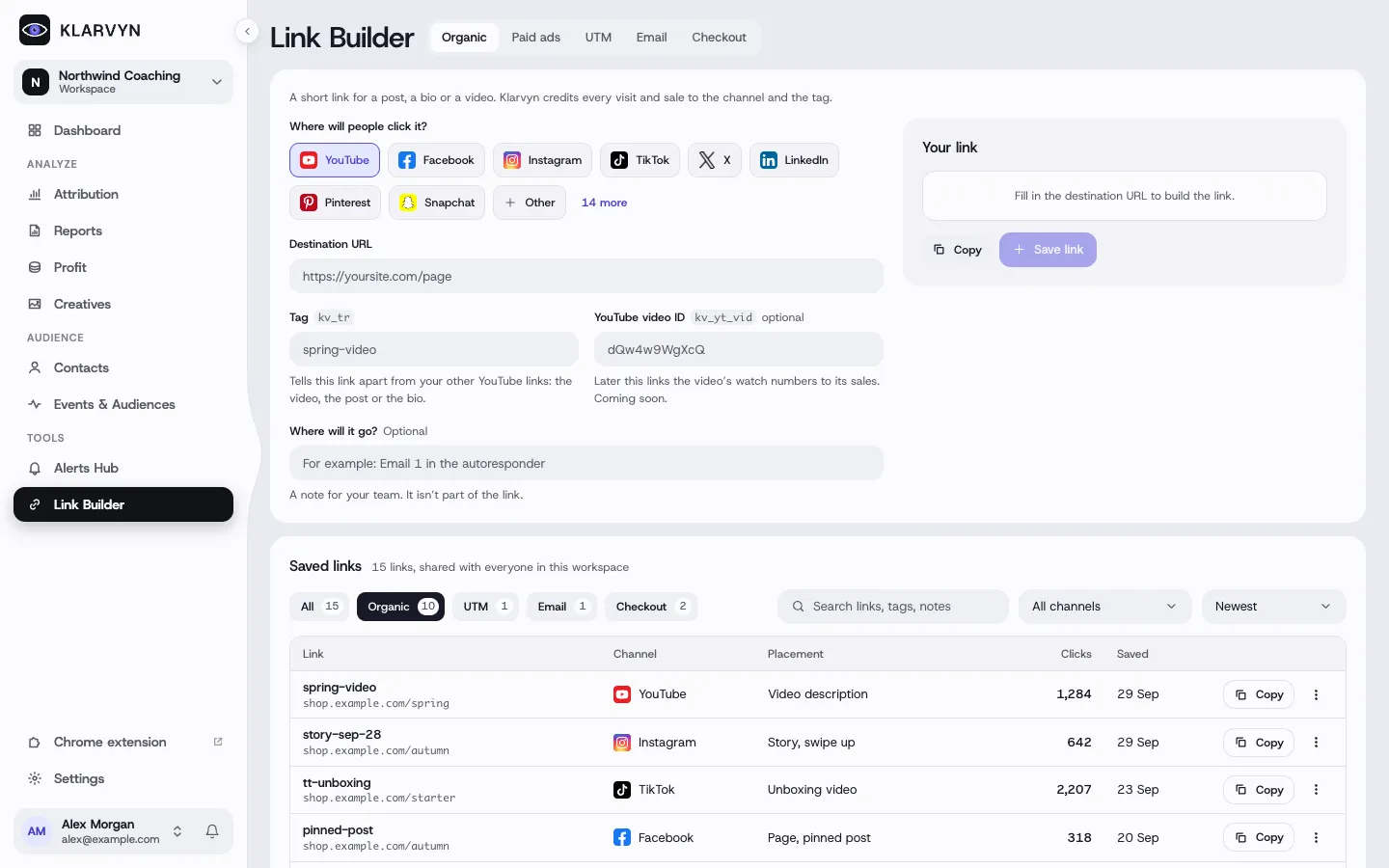
The five tabs
Section titled “The five tabs”- Organic — pick a channel (YouTube, Instagram, TikTok, WhatsApp, Skool… or a custom one), add your destination URL and a tag. The result attributes as Channel · tag (e.g. “YouTube · spring-video”).
- Paid ads — ready-made tracking templates for the ad platforms (Meta, Google, TikTok, LinkedIn, ChatGPT Ads and more). Copy the template into the platform’s tracking-template field; the platform fills in campaign/ad IDs automatically at click time.
- UTM — plain
utm_*links for tools that expect them. - Email — links that identify the clicker. If your CRM is integrated, use its merge tag for the contact ID (most accurate); otherwise match by email address. Attribution lands under Email › Campaign › email name.
- Checkout — appears when Whop or Stripe is connected: payment links and invoices bound to a specific contact, so the payment attributes back to that person automatically. The list shows a live Paid / Not paid status per link.
Saved links
Section titled “Saved links”Links you save (all types except Paid ads templates) land in a shared, workspace-wide library with search, channel filter, click counts and copy — so the whole team reuses the same links instead of minting duplicates.
Good to know
Section titled “Good to know”- Paid ads templates aren’t saved — they live in your ad platform. For Meta, Google and LinkedIn, paste the template into the platform’s dedicated tracking-template field rather than onto the destination URL.
- Whop Ads needs no template — Whop tags every ad click itself. See Connect Whop Ads.
- X (Twitter) Ads has no dynamic macros — paste your real campaign/ad IDs into the link before publishing; X links can’t be edited afterwards.
- Don’t URL-encode email merge tags.
{{contact.id}}and friends must stay literal so your email tool can substitute them at send time. - Deleting a saved link removes it for everyone in the workspace, and can’t be undone.