
Events & Audiences
Events & Audiences (under Audience in the sidebar) is where you decide what Klarvyn tracks and what happens with it: which events exist, which ones are sent to your ad platforms as conversions, how contacts get tagged, and which audiences sync to your ad accounts.
(Not to be confused with Settings → Install, which is where the tracking script itself is installed.)
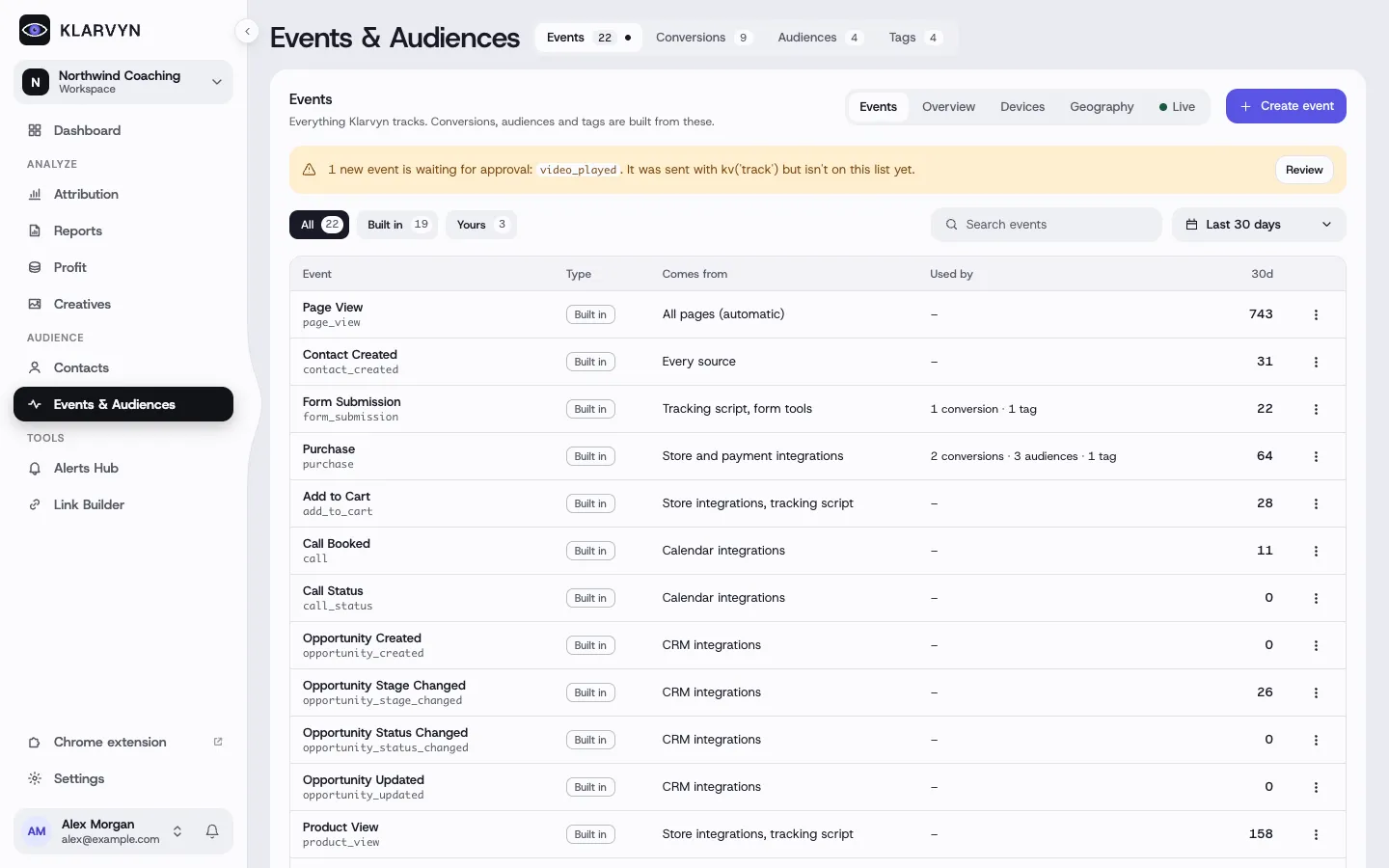
Events
Section titled “Events”Every event Klarvyn records — Built in events (Page View, Form
Submission, Purchase, Call Booked, subscription events…) and Yours, your
own custom events. Create one with URL rules (contains / exact / regex, with
live preview) or fire it from your site with the provided kv('track', …)
code snippet.
Next to the event list are Overview, Devices, Geography and Live — a real-time stream of incoming events, handy for verifying your setup.
Good to know:
- Custom events fired from code show as Waiting for approval first — review and approve them before they start recording.
- The event name is permanent once created; only display name, description and rules can change later.
Conversions
Section titled “Conversions”Send your conversions to ad platforms so they optimize on real results — Meta, Google Ads, TikTok, LinkedIn, Microsoft, Snapchat, Pinterest, X, Reddit, ChatGPT Ads and Whop Ads — with send frequency (new customers only, repeat only, or every) and optional conditions.
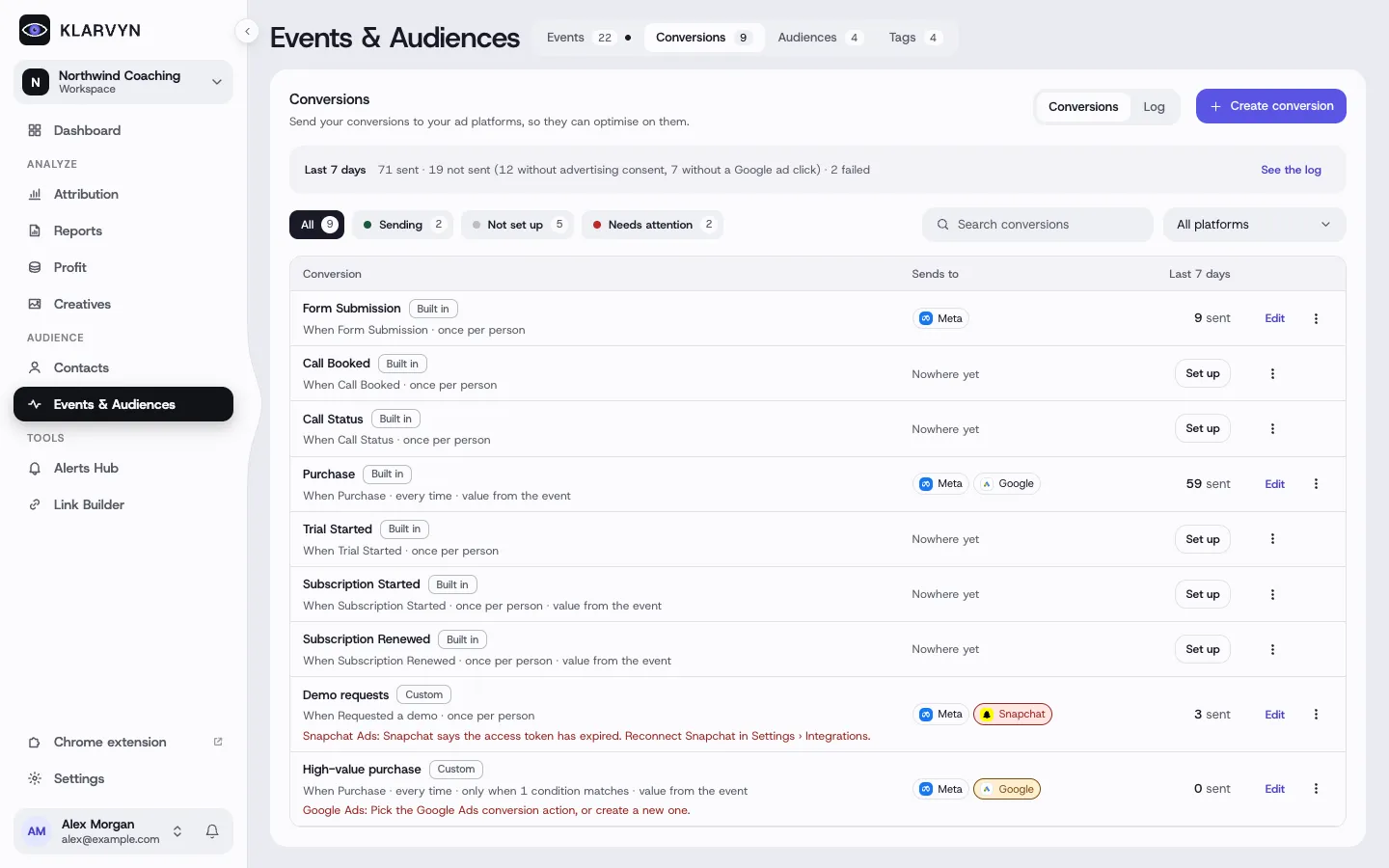
The Log view shows every delivery with its status. Reading the log:
sent = delivered; skipped = no ad-platform click was found for that
contact (not an error); suppressed = blocked by the visitor’s consent — both
are attribution/consent situations, not broken mappings. How matching works
(lookback window, location/IP matching) is set in Settings → Conversions.
Audiences
Section titled “Audiences”Build auto-updating (rule-based) or snapshot audiences and sync them to Meta, Google Customer Match, TikTok, Snapchat, Pinterest, Reddit, Microsoft, X or AdRoll — into a new list or an existing one.
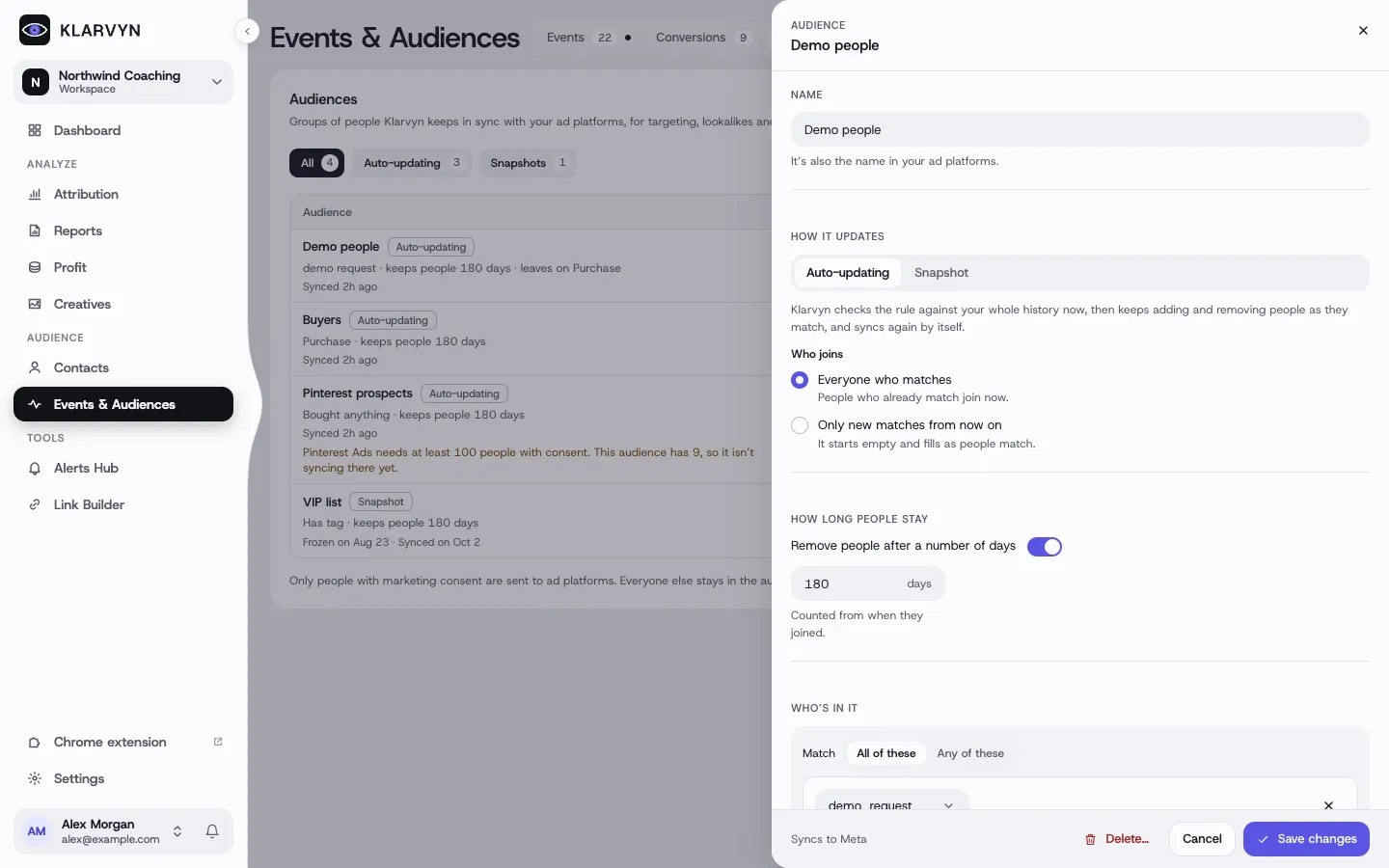
Good to know:
- Each platform requires a minimum number of eligible contacts before a list can sync; a “future contacts only” audience starts empty.
- With Advertising consent required on, only consented contacts sync.
- The Activity tab on an audience logs every add/remove — who, when, why and to which platform list.
Tag contacts manually or with auto-apply rules (“apply Customer when a Purchase happens”), optionally removing another tag at the same time (drop Lead when Customer is applied). Tags are usable as filters and conditions across Klarvyn — audiences, reports, alerts.