
Profit & product costs
Revenue and ROAS tell you what came in. Profit (under Analyze) tells you what you kept: net profit, margin and POAS (profit on ad spend) across your sales channels, with a profit-and-loss view and a by-channel breakdown.
Profit is turned on per workspace — if you don’t see it in the sidebar, ask us to enable it.
Setting up your costs
Section titled “Setting up your costs”Profit is only as good as the costs behind it. They live in two places:
-
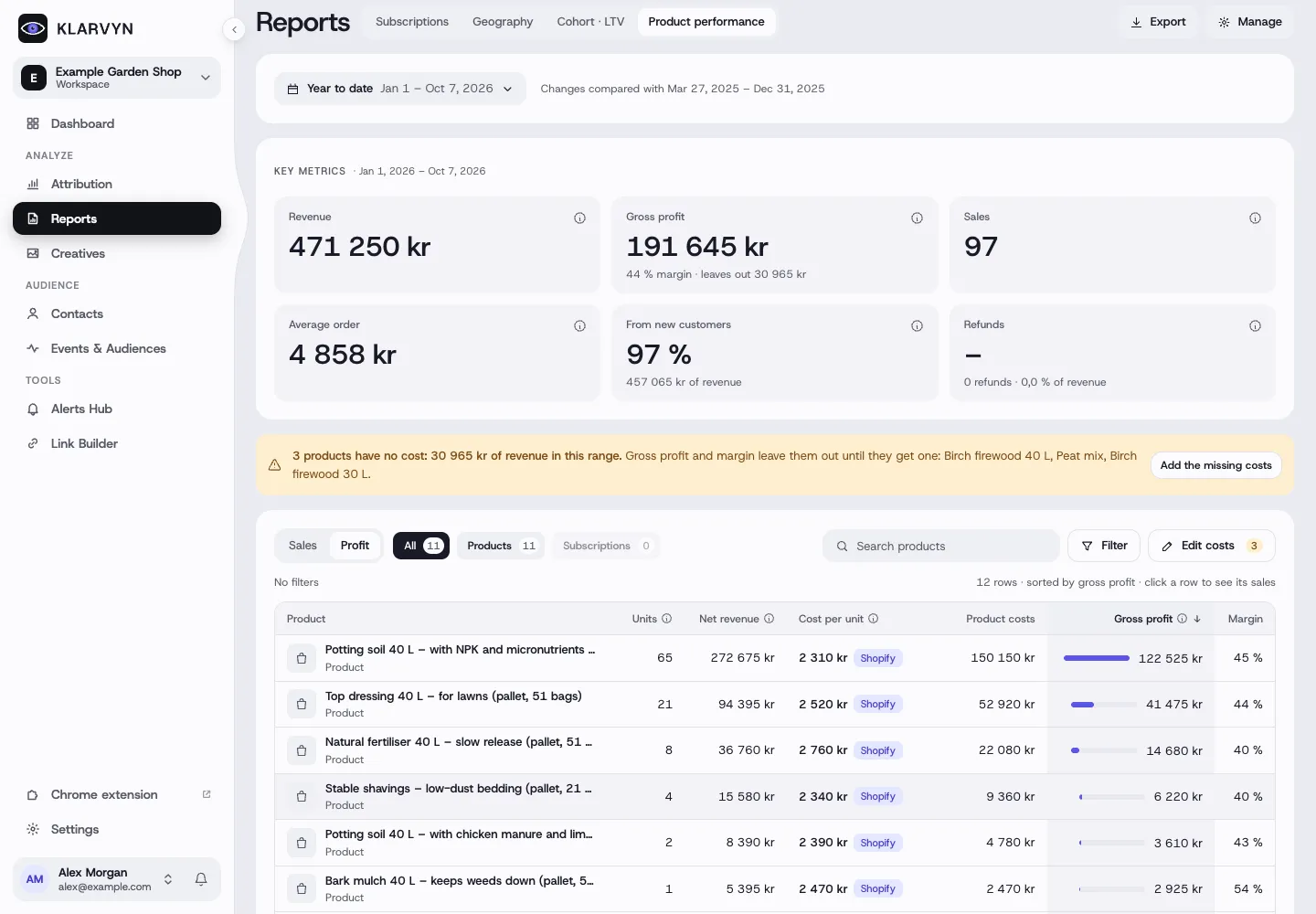
Product costs — in Reports → Product performance, click Edit product costs. Set a cost per product (or import them from Shopify / a CSV file). Products still missing a cost are flagged, so gross profit is never silently overstated.
-
Everything else — in Settings → Costs: costs on every sale (for example a percentage), payment fees and shipping, and running costs like tools and salaries, which are spread over the period.
Reading Profit
Section titled “Reading Profit”- Net profit and margin — revenue minus product costs, fees and running costs.
- POAS — profit divided by ad spend. A POAS above 1 means your ads pay for themselves after costs, not just on revenue.
- By channel — the same numbers per channel, so you can see which channels are actually profitable rather than just busy.
Good to know
Section titled “Good to know”- Costs apply from a date — when you change a cost, you choose whether it applies to past sales or only from now on, so history doesn’t shift unexpectedly.
- Shopify users: import product costs straight from Shopify, and map taxes correctly so revenue isn’t overstated.
- Profit uses the same attribution model and date range as the rest of Klarvyn.