
Website
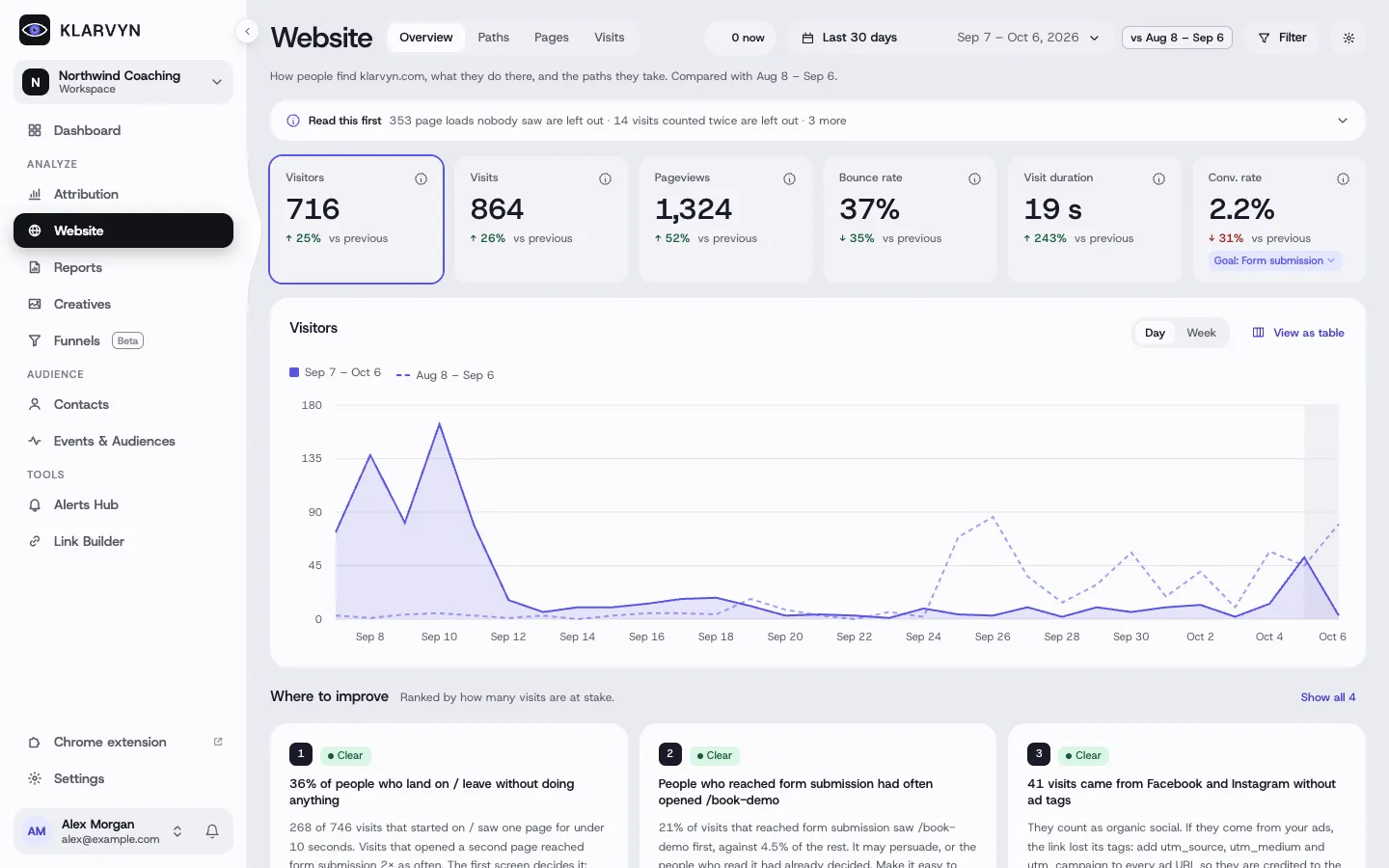
Website (under Analyze) shows how people find your site, what they do there, and the paths they take — measured with Klarvyn’s own tracking, so the numbers line up with your contacts and conversions.
Website is turned on per workspace — if you don’t see it in the sidebar, ask us to enable it.
The four tabs
Section titled “The four tabs”- Overview — visitors, visits, pageviews, bounce rate, visit duration and conversion rate against the previous period, the trend over time, and Where to improve: concrete, ranked suggestions such as pages that lose most people, or sources that rarely come back. Read this first flags anything that affects how to read the numbers.
- Paths — the routes people take through your site, toward a goal you pick. Select a step to see where people came from and went next, and turn a common path into a funnel.
- Pages — every page with views, people and time on page; open one for its sources and what people did next.
- Visits — individual visits, step by step, including a live view.
Filters
Section titled “Filters”Filter everything by source, channel, page, device or country — the filters show as chips at the top and apply to every tab. What is counted explains exactly which visits are included.
Good to know
Section titled “Good to know”- The old Journeys page now lives here — old links redirect to Website.
- A pageview is only counted once the page was actually shown, so tabs opened in the background don’t inflate your numbers.
- Website needs the tracking script on every page you want to measure.